


PRINEN / Knowledge & service
How personalisation works
For suitable items, you can choose colours, text or other offered options on the product page. Not every type of personalisation is available for every product.
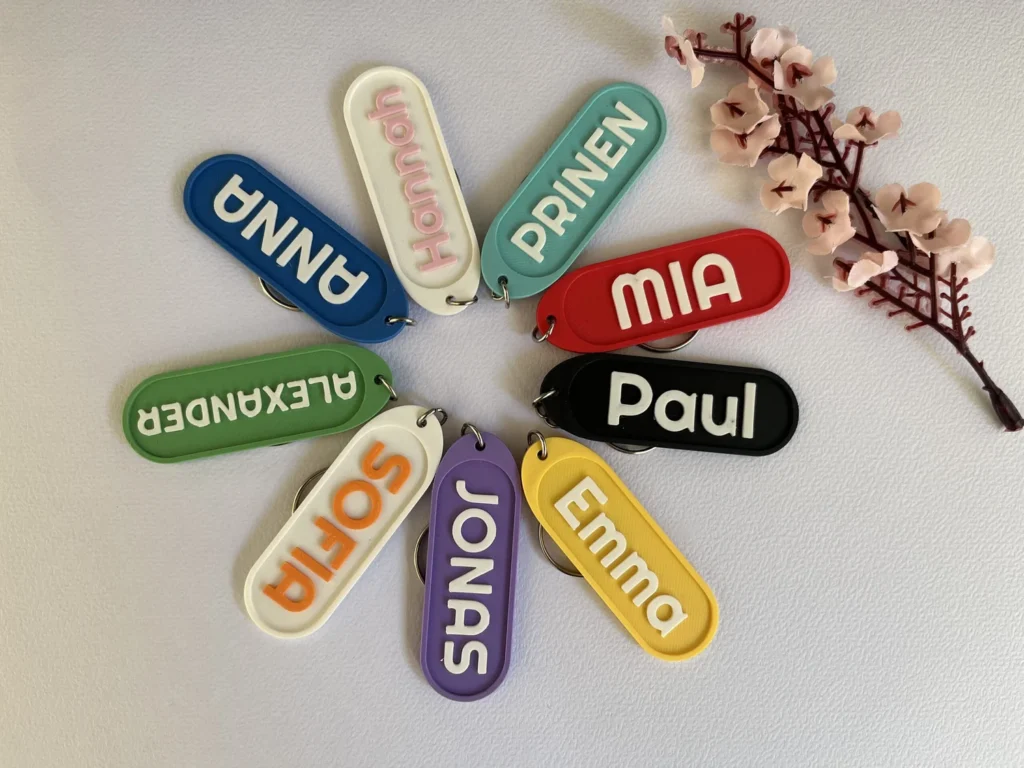
Product example from the PRINEN shop. Available options are shown on each item.
01
Choose the product and options
Open the item in the shop. Read its description and check the selection fields actually displayed. Where several colour fields appear, note their labels: they may refer to different parts of the product.
02
Check your details carefully
Check names, spelling, capitalisation and any supplied link. Follow the instructions and limits on the product page. A general colour illustration is not a binding preview of your finished item.
03
Discuss photos and special requests first
Need a photo, logo, different text arrangement or an option not offered in the form? Ask before ordering. This page does not promise a general photo upload or automatic design preview.
04
Production and delivery
Production time and transport time are separate periods. See shipping & delivery for general guidance and shipping charges; product-specific or project-specific agreements take precedence.
05
Changes and withdrawal
If you discover an error after ordering, contact us as early as possible with your order number. Whether a change is still possible depends on the processing stage. See the withdrawal information for the rules covering withdrawal and goods made to customer specifications.
↗
Braille and tactile wording
Braille requirements are not answered by a generic character limit. Discuss language, convention, format and a suitable sample for your use. Explore Braille and tactile projects →
↗
Order multiple versions without ambiguity
For different names, colours or links, use one row per version: reference · quantity · exact text · colours · destination link, if needed. State the required quantity even when names are identical. The name list and total quantity should agree.
Before buying, also check the selected version, dimensions and explicitly included contents. A photo alone does not define quantity or accessories. If the available fields do not let you order your requirement unambiguously, discuss it with us first.
Prepare a custom batch → · Help with changes, invoices and delivery →
Still have a question?
We can help you choose and discuss individual requirements.